Can Small Cases Fit High-End GPUs? A Compatibility Checklist
The Short Answer Nobody Puts on the Box
Yes, small cases can fit high-end GPUs, but only when the case has enough measured GPU length, slot thickness, side-panel cable space, fresh intake access, PSU capacity, and exhaust routing for that exact graphics card.
Small cases punish.
And I mean that in the most literal, metal-on-glass, cable-bent-against-the-side-panel way possible, because a compact case does not give you the lazy safety margin that a mid tower gives you when the GPU is 304 mm long, 137 mm wide, three slots thick, and pulling 450 W under load. Why do so many builders still treat “GPU clearance” as one number?
I have seen the same mistake for years: someone checks the listed GPU length, sees “supports up to 340 mm,” buys a flagship card, then discovers the power cable, radiator, riser cable, or bottom fans stole the clearance that marketing made look simple. That is not bad luck. That is bad measurement.
If you want the safer starting point, read Acegeek’s guide on how to choose the right PC case for your build before you fall in love with glass panels, RGB strips, or a tiny desk footprint. Case choice is not decoration. It is mechanical planning.
The Flagship GPU Problem: Length Is Only the First Trap
The modern high-end GPU is not just long. It is wide. It is thick. It is heavy. It has a power cable that needs breathing room. And in small form factor GPU compatibility, those last four details often matter more than the advertised length.
Take the Founders Edition cards. NVIDIA lists the GeForce RTX 4090 at 304 mm long, 137 mm wide, and 3-slot / 61 mm thick on its official RTX 4090 specifications page. NVIDIA lists the GeForce RTX 5090 Founders Edition at 304 mm long, 137 mm wide, 2-slot, with 575 W total graphics power and a 1000 W recommended system power supply on its official RTX 5090 specifications page.
That sounds manageable.
But board-partner cards are where optimism goes to die. ASUS, MSI, Gigabyte, Zotac, Palit, PNY, and others often stretch the cooler because buyers demand quieter thermals. A “same GPU” card can become 325 mm, 348 mm, or even thicker than 3.5 slots depending on the cooler. So the real graphics card dimensions checklist is not “will the chip fit?” It is “will this exact SKU fit after fans, radiator, cables, and airflow space are counted?”
High-End GPU Fitment Snapshot
GPU / Card ExamplePublished Size or Power DetailWhat It Means for Small CasesFitment RiskNVIDIA GeForce RTX 4090 Founders Edition304 mm length, 137 mm width, 3-slot / 61 mmNeeds long-case support plus side-panel cable roomHighNVIDIA GeForce RTX 5090 Founders Edition304 mm length, 137 mm width, 2-slot, 575 W TGPShorter thickness helps, but power and cable clearance still matterHighAMD Radeon RX 7900 XTX reference classAMD recommends 800 W or greater PSU on its RX 7900 XTX pagePSU and case airflow need to be planned togetherMedium-highCompact M-ATX case exampleAcegeek Aquarium M345 lists 340 mm max GPU clearance and 155 mm CPU cooler clearance on its product page A compact case can fit large GPUs on paper, but cable and fan layout still decide the resultMedium12VHPWR / angled adapter riskCPSC recalled about 25,300 CableMod GPU angled adapters because the connector could loosen, overheat, and melt into the GPU, creating fire and burn hazards, according to the official CPSC recall notice Cable clearance is a safety issue, not a neat-cable issueSevere
My Compatibility Checklist for Small Case GPU Compatibility
I would not buy the case first.
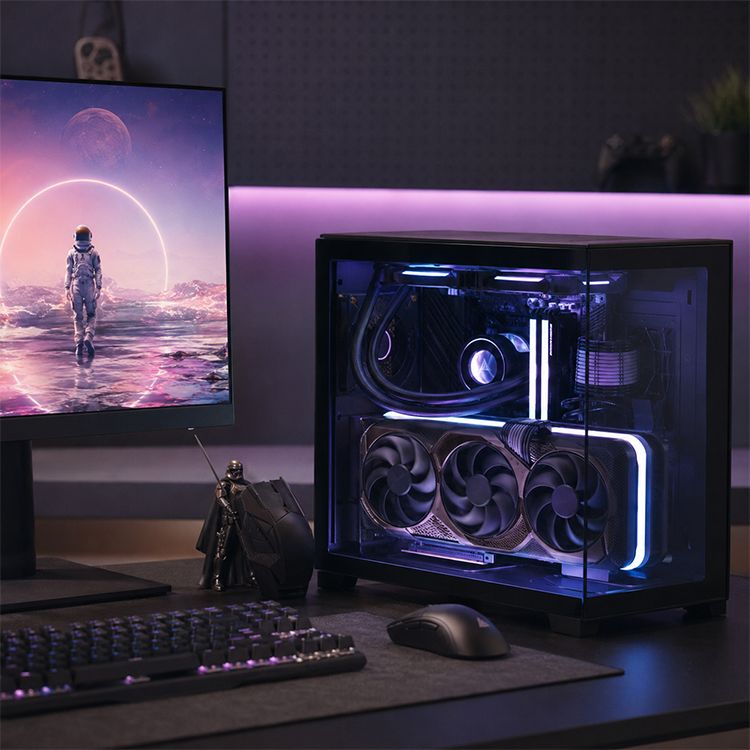
That sounds backward, but in compact builds, the GPU is the bully in the room; once you choose a 300 W to 575 W graphics card, every other part has to negotiate around its cooler, connector, exhaust pattern, and physical envelope.
1. Measure GPU Length After Front Fans and Radiators
A case may list 340 mm GPU clearance. Fine. Now subtract the front radiator, front fan stack, decorative bracket, internal cable cover, or reservoir if the case uses one.
A 25 mm fan plus a 27 mm radiator can steal 52 mm before you even start routing tubes. In a small case, that can turn a 340 mm claim into a practical 288 mm limit. This is where many “can a high-end GPU fit in a small PC case” answers become useless because they repeat the case spec without rebuilding the real internal geometry.
Use Acegeek’s real impact of case size on cooling performance as the better mental model: size matters, but airflow route and clearance quality matter more.
2. Measure GPU Thickness in Slots, Not Vibes
Two-slot. Three-slot. Four-slot.
Those labels sound clean until you realize a “3.5-slot” cooler can block bottom fans, press against a PSU shroud, starve the intake, or make a vertical mount unusable. I have zero patience for product pages that hide thickness behind glamour photos. Slot thickness is not trivia. It decides whether the GPU can inhale.
For mini ITX case GPU fit, I want at least one clean intake path next to the GPU cooler. In sandwich-style SFF cases, that may mean perforated side panels. In compact M-ATX cases, it may mean bottom intake. In panoramic cases, it often means side and bottom fans doing real work instead of posing behind glass.
3. Add Side-Panel Power Cable Clearance
This is the part amateurs skip.
If the GPU is 137 mm wide and the power connector sticks out toward the side panel, you still need safe cable space. With 12VHPWR or 12V-2x6 style connectors, tight bends near the plug are not something I shrug off. The CPSC recall of CableMod angled GPU adapters is the ugly real-world reminder that high-power connector fitment can become a heat and safety problem, not just an aesthetic flaw.
Do not let the side panel force the cable into a hard bend. Do not let the cable push the connector sideways. Do not trust a random angled adapter because it looks clean in a build photo.
The hard truth: a slightly larger case can be cheaper than replacing a burned connector, a damaged GPU socket, or a ruined side panel.
4. Check PSU Length, Cable Exit, and Wattage Together
A compact case with enough GPU length can still fail the build if the PSU blocks the cable route or forces the GPU power cable into a bad bend.
For high-end GPU in small case builds, I usually want an ATX 3.0 or ATX 3.1 power supply with native high-power GPU cabling if the card uses 12VHPWR or 12V-2x6. I also want the PSU wattage to match the full system, not just the GPU. A 575 W GPU, a high-end CPU, pumps, fans, transient load, and USB-powered accessories can make “barely enough” feel reckless fast.
NVIDIA’s RTX 5090 Founders Edition recommendation of 1000 W system power is a serious planning number, not a suggestion to ignore because your old 750 W unit “ran fine before.”
5. Decide Whether the GPU Gets Fresh Air First
Here is my rule: feed the GPU before feeding the spreadsheet.
By that I mean I care less about total fan count than whether the card gets cool intake air directly. A case with seven fans can still be bad if the GPU is breathing warm radiator exhaust or trapped air behind glass. Acegeek’s breakdown of mesh vs glass vs closed PC cases gets this right: the panel type matters, but the actual intake route matters more.
Mesh usually wins.
But a well-designed glass-heavy case with strong side and bottom intake can beat a lazy mesh box with bad internal layout, weak fan placement, and no bottom airflow. The industry does not like that nuance because simple slogans sell better.
6. Treat Front AIO Placement as a GPU Tax
A front-mounted AIO can cool the CPU well while feeding the GPU warmer intake air. That trade can be acceptable for CPU-heavy rendering. It can be dumb for gaming.
Acegeek’s guide on how front-mounted AIOs affect GPU thermals is the internal link I would use here because it frames the issue correctly: radiator position only works inside the case’s real airflow path.
If your small case has a front 240 mm or 280 mm AIO, a thick GPU, and no bottom intake, the GPU may get the worse end of the deal. And once the GPU fans ramp, your “quiet compact build” becomes a desk blower.
The Data Behind the Heat Problem
This is bigger than gaming PCs.
Reuters reported that a U.S. Department of Energy-backed Lawrence Berkeley National Laboratory report found U.S. data-center power use could almost triple by 2028, with data centers potentially consuming up to 12% of U.S. electricity, driven heavily by AI hardware and advanced cooling demand, according to Reuters’ coverage of the DOE-backed report. Berkeley Lab later summarized that data-center electricity use nearly tripled between 2016 and 2023 in its own research update.
Why should a PC builder care?
Because the physics scale down. High-wattage silicon needs airflow, surface area, power delivery, and heat removal. A desktop RTX 4090 or RTX 5090 is not a data-center rack, obviously, but the same ugly truth applies: heat density punishes weak planning.
Steam’s May 2026 Hardware & Software Survey also shows how rare the extreme end remains among ordinary users; the RTX 4090 appears under 1% share in the video card list. That matters because ultra-high-end small builds are not the mainstream default. They are edge cases. Edge cases need verification, not vibes.
And there is a sustainability angle that most PC content avoids because it ruins the shopping mood. The ITU’s Global E-waste Monitor 2024 reported 62 billion kg of e-waste generated globally in 2022, with only 22.3% formally collected and recycled. Buying a case that cannot handle the next GPU upgrade is not just annoying. It is part of a waste pattern.
So yes, I care about 20 mm of extra clearance. It can decide whether a case survives one build or three.
Small Case GPU Compatibility: The Field Test
Before I sign off on a small case for a high-end GPU, I run this checklist.
CheckpointMinimum Question to AnswerMy Blunt Pass/Fail StandardGPU lengthDoes the exact card fit after front fans or radiator?Pass only after subtracting fan/radiator thicknessGPU widthCan the side panel close without crushing the power cable?Pass only with relaxed cable routingGPU thicknessDoes the cooler block intake fans or sit against the case floor?Pass only with a visible intake gapPower connectorDoes the cable seat fully without side pressure?Fail if the cable must bend sharply at the plugPSUIs wattage, connector type, and cable length appropriate?Pass with native cabling and marginIntake pathDoes the GPU get fresh air directly?Pass with front, bottom, or side intake feeding the cardExhaust pathCan GPU heat leave without recycling into the CPU cooler?Pass with top/rear exhaust or open flow pathRiser cableIf vertical or sandwich layout, is PCIe 4.0/5.0 support stable?Pass only with a reputable riser and clean routingServiceabilityCan you remove the GPU without dismantling half the PC?Fail if maintenance becomes surgeryUpgrade marginWould a 10–20 mm longer future GPU still fit?Pass only if there is real headroom
The Small Case Builds I Actually Trust
A small case can fit a high-end GPU when it is designed around clearance, not when it merely claims clearance.
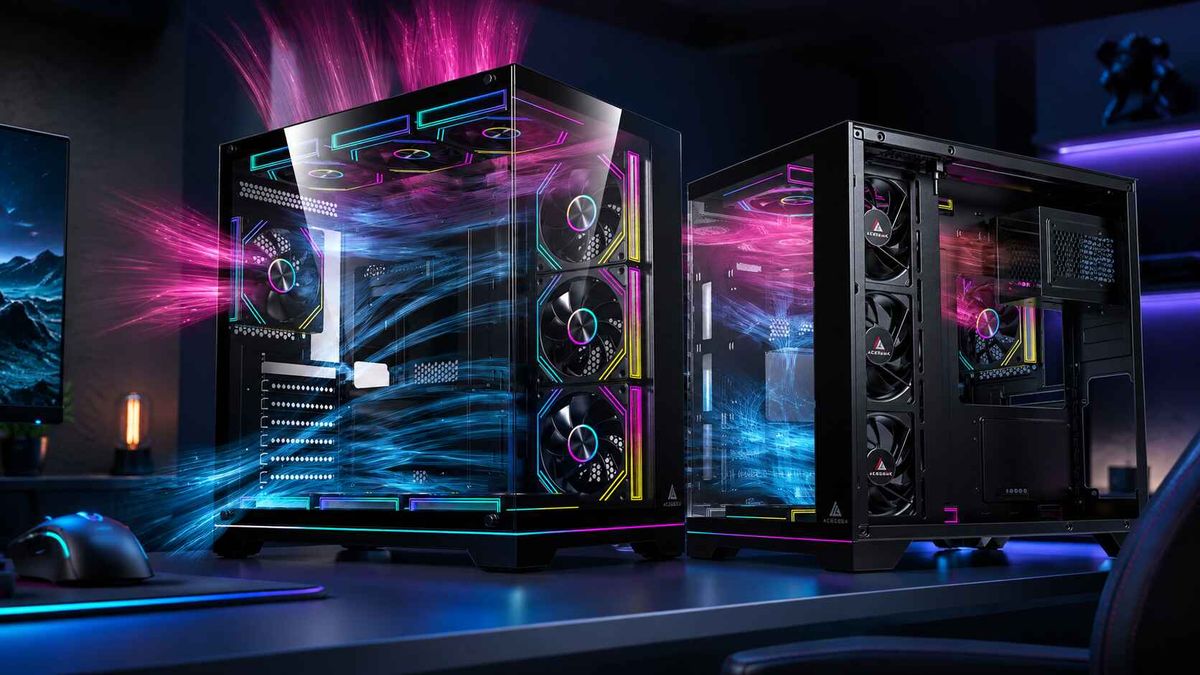
The Acegeek Aquarium M345, for example, lists a compact 358 × 275 × 360 mm body, Micro-ATX and Mini-ITX support, 340 mm max GPU clearance, 155 mm CPU cooler clearance, five PCIe slots, bottom fan support, side fan support, rear exhaust, and top or side 240 mm AIO support on the Aquarium M345 product page. Those numbers make it a useful compact case reference because the spec sheet gives builders something measurable.
But I would still verify the exact GPU model.
A 304 mm Founders Edition card is not the same fitment problem as a 348 mm board-partner card. A two-slot cooler is not the same airflow problem as a 3.65-slot cooler. A native 12V-2x6 cable is not the same routing problem as a bulky adapter. Anyone who treats those as equal is not helping you build a PC. They are helping you gamble.
For broader case selection, Acegeek’s 2026 gaming PC case buying guide is the better internal next step because it frames the choice around airflow, GPU clearance, radiator support, noise, and dust instead of only case size.
My Final Verdict: Small Is Fine, Forced Is Not
I like compact PCs. I really do.
But the industry has trained people to confuse “technically fits” with “works well for three years,” and that is how you get side panels pressing against power cables, GPUs idling hot, fans screaming during ordinary gaming, and owners pretending undervolting was always the plan.
A small case can fit a high-end GPU if the case has enough real GPU length, slot clearance, cable room, PSU support, direct intake, and exhaust control. A small case should not be chosen because a spec table barely clears the number printed on the graphics card page.
Barely fits is not a win. It is a warning.
FAQs
Can a high-end GPU fit in a small PC case?
A high-end GPU can fit in a small PC case when the exact card’s length, width, slot thickness, power connector clearance, PSU requirement, and cooling path match the case’s real internal layout after fans, radiators, cables, and panels are installed. The case spec alone is not enough because practical clearance changes once the build is assembled.
For small case GPU compatibility, always check the exact SKU. An RTX 4090 Founders Edition and a large board-partner RTX 4090 are not interchangeable from a fitment perspective.
What GPU clearance should I look for in a small case?
GPU clearance in a small case should be checked as usable clearance after subtracting front fans, radiators, brackets, cable covers, and any obstruction near the card’s nose or power connector. A listed 340 mm clearance may not mean a 340 mm card fits comfortably once the cooling layout is installed.
I prefer at least 10–20 mm of extra length margin and enough side-panel depth for a relaxed GPU power cable.
Is Mini ITX bad for high-end GPUs?
Mini ITX is not bad for high-end GPUs, but Mini ITX leaves less room for airflow recovery, cable routing, bottom intake, radiator placement, and maintenance access than ATX or Micro-ATX cases. The smaller the case, the more every millimeter and every watt matters.
Mini ITX works best when the case is designed around the GPU intake path from the beginning. It works badly when someone treats the case like a shrunken mid tower.
Does GPU thickness matter more than GPU length?
GPU thickness can matter more than GPU length in compact cases because a thick 3-slot or 4-slot cooler can block bottom fans, restrict intake air, crowd the PSU area, or leave the GPU pressed close to a panel. Length decides whether the card enters the case; thickness decides whether it can breathe.
This is why SFF PC GPU clearance should always include slot thickness and intake spacing, not only millimeters of length.
Should I use a front-mounted AIO with a high-end GPU in a small case?
A front-mounted AIO can work with a high-end GPU in a small case, but it often sends radiator-warmed air toward the graphics card and reduces usable GPU length. It is safest when the case has strong bottom or side intake and enough remaining clearance for the exact GPU.
For gaming-first builds, I usually prefer preserving cool intake air for the GPU unless the CPU workload clearly matters more.
How much PSU wattage do I need for a compact high-end GPU build?
A compact high-end GPU build needs PSU wattage based on the exact GPU, CPU, transient load, connector type, and total system power, not only the graphics card’s average draw. For RTX 4090-class and RTX 5090-class builds, 850 W to 1000 W is often the realistic planning range.
The PSU should also physically fit the case and provide clean cable routing. In small builds, cable stiffness can be as annoying as wattage.
Your Next Steps
Before buying a small case for a high-end GPU, open the case spec page, open the exact GPU spec page, and write down six numbers: GPU length, GPU width, GPU slot thickness, case GPU clearance, PSU clearance, and radiator/fan thickness.
Then do the honest version of the math.
If the build still has space for a relaxed power cable, direct GPU intake, clean exhaust, and future upgrade margin, go compact with confidence. If it barely fits on paper, choose a better case before the case chooses your temperatures for you.